
Case studies / PCBA test station
Universal PCBA test station on NI PXI
A tower-style tester that runs hundreds of measurements in a few seconds, programs the boards, traces every unit and shows the operator exactly which component failed.
Talk to the founder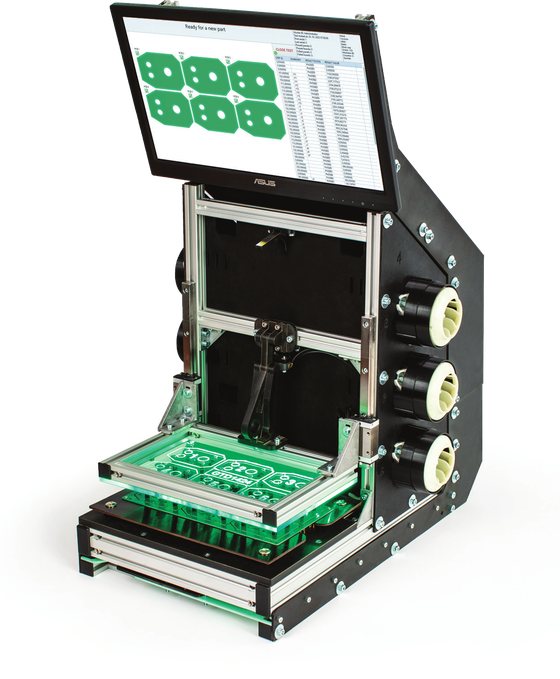
The challenge
Electronics manufacturers need to test every board quickly, trace every result and send a failed board to repair with as much information as possible. Each product is different, and a tester that has to be reprogrammed for every new board costs time and money.
We built one universal station that adapts to the product by recipe, not by new code. It combines in-circuit testing, functional testing, flashing and RF testing in a single run, on one platform.
Our solution
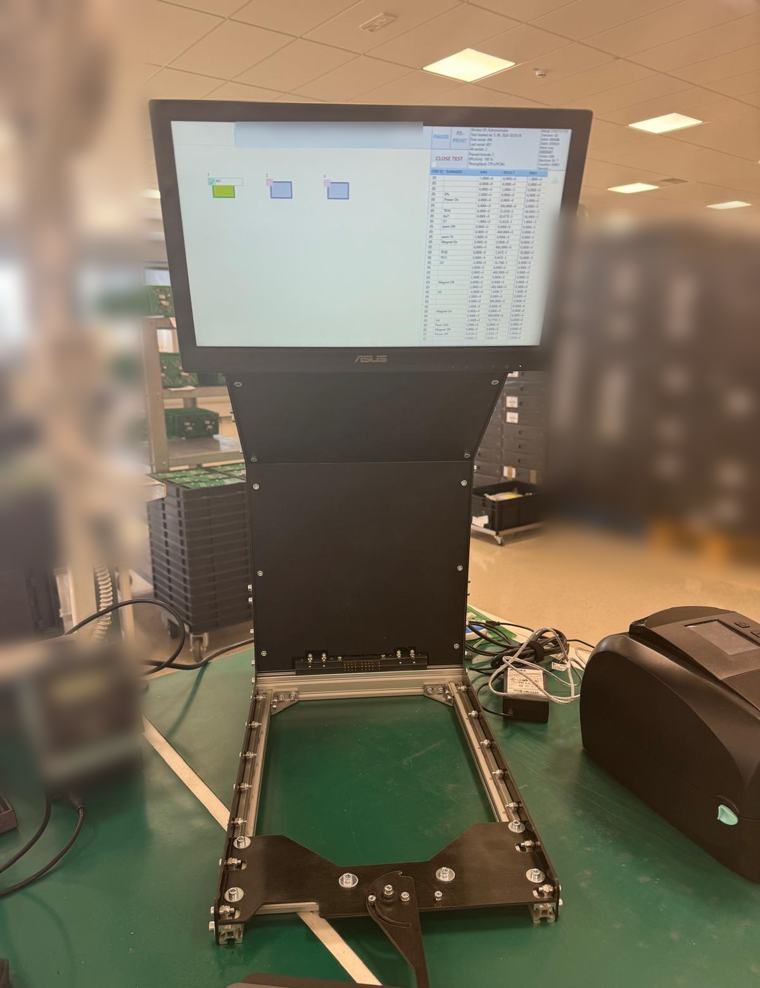
The station is a compact tower with a touchscreen on top, a fixture for the board and an integrated National Instruments PXI system with the measurement modules inside. We designed everything ourselves: the mechanics and fixtures, the electronics, the PXI configuration and the LabVIEW software.
We sell it together with ALTEL PCB in Slovenia, part of the Katronik Group in Austria, which uses it in production.
From scan to label
- 1. Log in and scan the work order
The operator logs in on the touchscreen and scans the code on the paper that sits next to the parts. The work order and the recipe load automatically, and the parts are counted.
- 2. Scan the board and start
The tester reads the DataMatrix code of each board. The operator closes the fixture, and the test starts with a single click.
- 3. Hundreds of tests in seconds
In-circuit measurements, functional tests, flashing and RF tests run one after the other on the fast PXI hardware. Several boards on a panel can be tested and programmed at the same time.
- 4. The screen shows every board
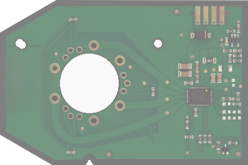
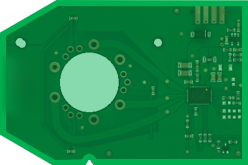
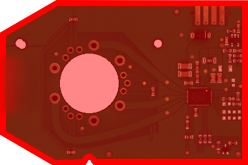
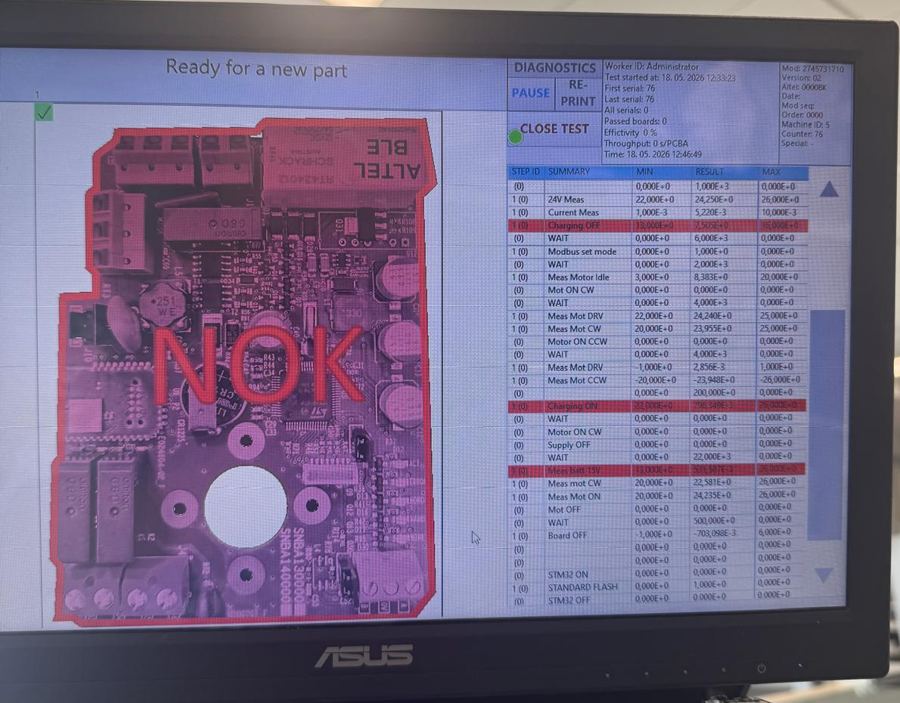
Each board on the panel has a colour. Grey boards are still in progress, green boards have passed, and red boards have failed, with the failing part marked.
- 5. Labels that save repair time
For a failed board the station prints a failure label, so the repair station knows exactly where to look. Good boards get a label too.
- 6. Everything is traced
Every result is written into the database with the work order, the board and the time. The software also suggests repairs.
On the production line
The operator works with a large screen, a simple fixture and a label printer. The screen shows the image of the board with its result, so a failed board is obvious at a glance.
Beside the image is the list of measurements with the limits and the result of every step. Failed steps are highlighted in red, and the same information goes on the failure label for the repair station.
The tester sits on a normal production workbench. Fixtures are exchanged for each product, and the recipe adapts the software to the board.
The screen also shows the work order counters, the throughput and the efficiency, so the operators always know how the line is doing.
Fast, modular hardware
The speed comes from National Instruments PXI hardware. Depending on the project, the station has a slim 2-slot controller, a 5-slot chassis or a bigger one, with an integrated controller or a remote one, such as a laptop connected over Thunderbolt.
Modules are chosen to fit the board: digital multimeters, oscilloscopes sampling at 2 GS/s per channel, digitisers and multifunction modules. We can also test radio parts, such as Wi-Fi and Bluetooth, and connect customer-specific test hardware.
What it measures
Voltage and current, both AC and DC, resistance, capacitance, inductance, diodes, and frequency and period. With the fast digitisers and scopes it can also capture signals that last only a few nanoseconds.
The fixtures take boards from 140 × 240 mm up to 250 × 250 mm, and one station can test many different PCBAs, because the recipe and the fixture adapt to the product.
Software in LabVIEW
The software is written in LabVIEW. Tests are set up by parameterization instead of programming, and the recipe is fully configurable. The progress indicator has a programmable colour scheme, and test reports can follow the customer’s own format.
A traceability layer connects the barcode readers, the label printer and the database, and operators log in with their own accounts.
It watches itself too
The software keeps an eye on every part of the tester itself, so a fault in the station is never mistaken for a fault in the board, and a failing tester can be fixed quickly.
The same platform can do in-circuit testing, functional testing and flashing in any combination, so a customer can start with one and add the others later.
What the customer gets
Low cost per board
Hundreds of tests in a few seconds keep the test time, and the cost of testing, low.
One station for many products
Recipes and fixtures adapt the station to different boards without new programming.
Faster repair
The failed component is marked and printed on the label, so the repair station starts in the right place.
Full traceability
Work orders, boards, results and labels are linked and stored in a database.
All in one run
In-circuit, functional, flashing and RF tests together, on a single platform.
Scalable
From a slim 2-slot system to a big chassis, as the product demands.