Case studies / Programming and test stations

Programming and test stations for appliance electronics

A family of compact benchtop stations that flash the firmware onto control boards, check them and print the label. One LabVIEW application runs them all, so a new product is a new recipe, not new software.

Talk to the founder
3station types, one software base
2boards programmed at the same time
18relays and loads checked on one board
40 × 50 cmfootprint on the workbench
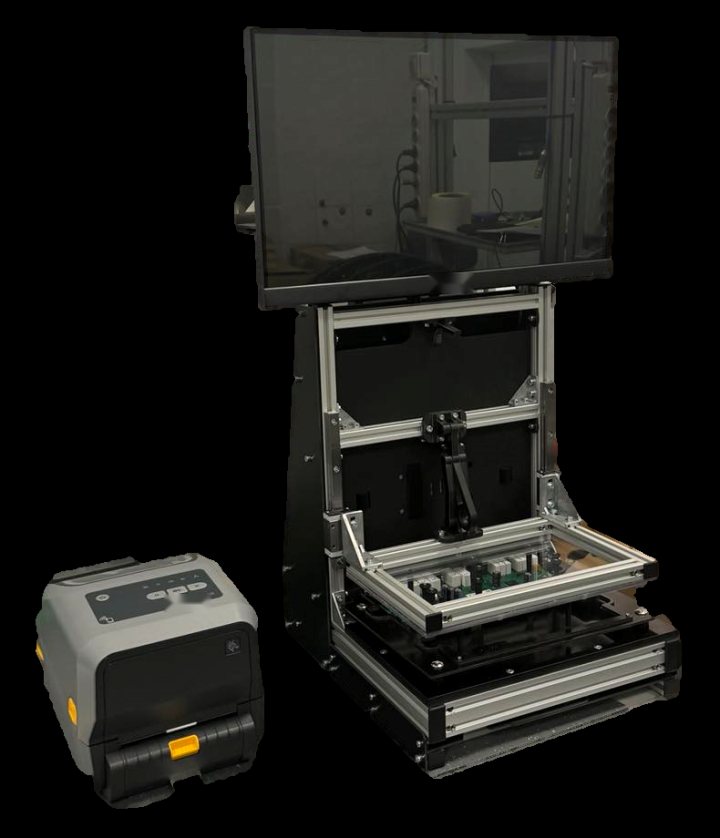
A compact programming station with a touchscreen, a hinged fixture holding a control board and a label printer beside it

The challenge

Every control board for a household appliance needs its firmware loaded and its outputs checked before it goes into the product. Operators on the line are not engineers, the products change often, and a board that reaches the assembly line with a wrong program or a dead relay is expensive to find later.

The manufacturer needed stations that are simple to operate, safe, quick to change over, and able to keep a record of every board.

Our solution

We built a family of small stations for a home appliance manufacturer. They share the same LabVIEW application, the same screens, the same user levels and the same recipe format. Only the fixture and the instruments differ.

We designed everything ourselves: the mechanics and fixtures, the electronics, the safety circuit and the software. The stations run on the customer’s own standard Windows image and start by themselves when the computer is switched on.

Three stations, one family

A programming station with a hinged fixture and a label printer

Programming station

A hinged fixture with spring-loaded contact pins holds the board. The operator closes the lever, and the station flashes the program and, when needed, sets the parameters.

  • One socket, an industrial flash programmer
  • Mechanical lever and linear guide
  • Label printer for good boards
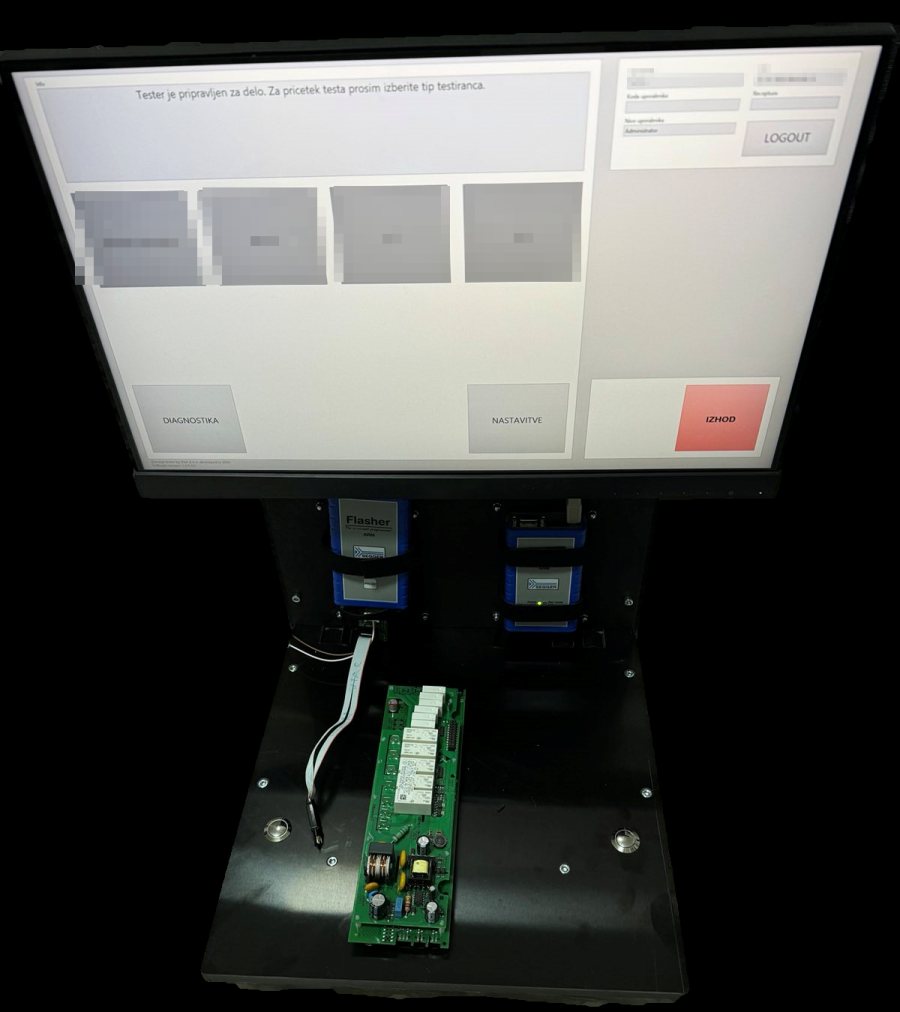
A dual-socket programming station with two programmers and a board connected by a cable

Dual-socket programming station

Two boards are programmed at the same time, each through its own programmer and cable. Relay modules switch the connections, and the screen shows both sockets separately.

  • No moving parts, so almost no maintenance
  • Single or dual socket, set in the software
  • Several product families on one station
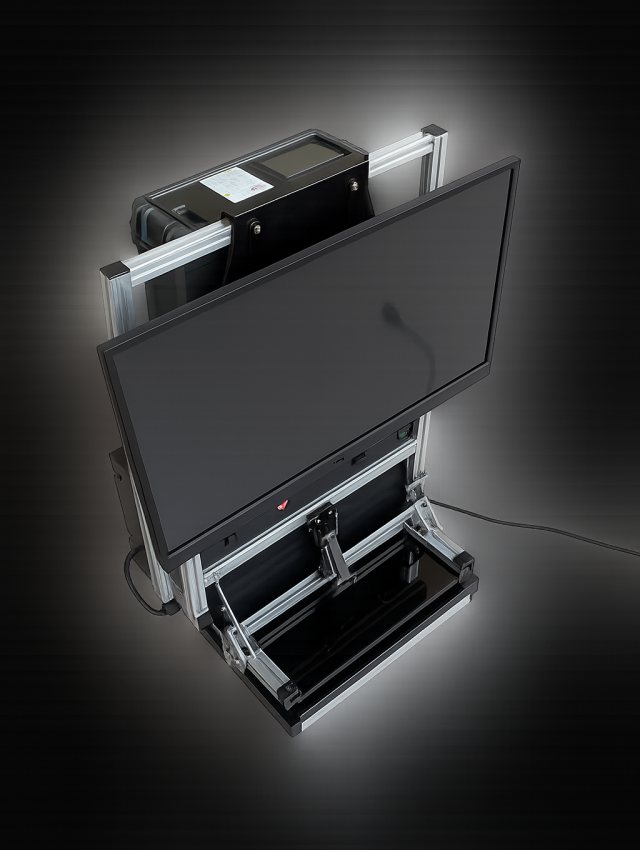
Rendering of the functional test station with a screen, a code reader and a fixture with a glass cover

Relay and power test station

A functional tester for appliance control boards. It switches every relay, measures the electrical power and simulates the door and the water tank, behind a proper safety circuit.

  • Many relays and loads per board
  • Live power measurement
  • Emergency stop and safety relay

The third picture is a rendering. We will replace it with a photograph.

From login to label

  • 1. Log in

    Nothing works without a login. The operator picks a name on the touchscreen and types the password on the on-screen keyboard.

  • 2. Choose the product family

    One tap opens the screen for that family, with the instructions for the operator and the state of the station.

  • 3. Insert the board and start

    Where a 2D reader is switched on, the operator first scans the label on the product. The test starts by itself as soon as the board is inserted and the fixture is locked, or on a start button for the cable version.

  • 4. Watch the colour

    The result window is blue while the board is being programmed or tested, green for a good board and red for a bad one. A detailed log is written below it.

  • 5. Label and record

    A good board gets a label from the printer. Every result is written to a results file, and the daily counters of good and bad boards are always on the screen.

Insert the board into the fixture and close the lever #STATUS: CONNECTING#STATUS: ERASING#STATUS: PROGRAMMING PASSlabel printed, result saved grey: ready · blue: working · green: good · red: bad board

Testing the relays and the power

The relay and power station is the functional tester of the family. The screen lists every relay on the board by its function, such as the oven fan, the door lock, the steam generator or a heater, and shows which relays are on right now.

During the test the station switches the relays one by one, according to the recipe. Relays that have not been checked yet are orange, and relays that have worked are green, so the operator can follow the test at a glance.

A power meter in the station shows the electrical power live. The operator, or the recipe, can also close the door switch and simulate an empty water tank, because the station supplies both signals that the product would normally give.

Relays tested so far RE 1Oven fanRE 2Cooling fanRE 3Door lockRE 4Steam gen.RE 5Top heaterRE 6Light POWER [W]230.4measured live CLOSE DOOR EMPTY WATER TANK the tester also simulates the door and tank switches

Safety first

The board under test is connected to the mains, so the safety circuit is part of the design. A safety relay supplies the board, and the emergency stop button switches it off. It is started again with the reset button.

The supply to the board is also guarded by further conditions: the lock handle must be closed, the glass cover must be present, the board must sit in the fixture, and the software must allow it. The whole station is protected by a 10 A fuse.

RESETE-STOP 10 A fuseSafety relayDisconnect relayBoard The disconnect relay also needs all of these: · lock handle closed· glass present· board in fixture· software permission

Recipes, users and backups

Two user levels share the same screens. The operator can only run the test. The administrator can also edit recipes, manage users and change the settings of the station.

Recipes can be edited on the touchscreen or imported from a CSV file, and exported again as a backup or to prepare them on another computer. A full export of recipes and settings is also possible, and the user list simply moves with a copy of its file.

Settings and diagnostics

The administrator sets the serial ports of the programmers, the multifunction card, the 2D reader and the label printer, the location of the results file, the automatic logout time and the CSV format. Each station also has a diagnostics screen.

Users are added with a name, a card number, a password and a level. A user can be deleted or given a new password with a long press or a right click.

Compact hardware

Each station has a mini PC, a 21.5 inch touchscreen, our multifunction card for the signals, a 2D reader and a thermal label printer. The programming stations add an industrial flash programmer, or two of them, and the test station adds a power meter and the safety relay.

They are small enough for any workbench: about 40 × 50 cm, between 65 and 80 cm high, and from 8 to 20 kg.

Easy to keep running

The mechanics need very little care: the bearings are sealed, and only the linear guide is checked and greased now and then. The contact pins are standard parts that can be replaced in a minute, and the cables and connectors are inspected regularly.

The dual-socket station has no moving parts at all.

What the customer gets

  • Simple for operators

    Log in, choose, insert. The colour of the result window says everything.

  • Fast changeover

    A new product needs a new recipe and a fixture, not new software.

  • Every board recorded

    Results, counters and labels for each board, with the product, the time and the operator.

  • Safe by design

    Emergency stop, safety relay and several supply conditions protect the people at the station.

  • Under customer control

    The administrator manages recipes, users and settings without us.

  • Family of stations

    Programming, dual programming and functional test in one software and one look.

LabVIEWFlashingFunctional testRelay testSafety circuitTraceabilityAppliance electronics

Tell us about your project

Send us a few lines about what you want to build or improve. I will reply personally.

Email us